
How to Log In to Your Facebook Account: Password, 2FA Key or Cookie
October 6, 2026
FbAccounts Support Desk· Customer support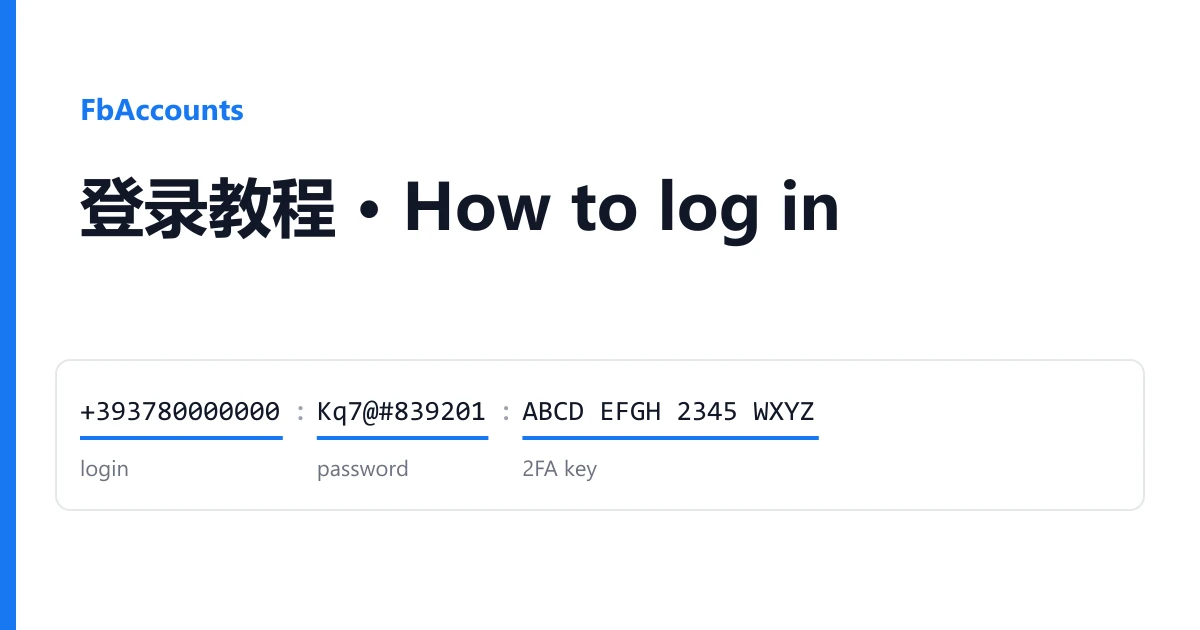
Your Facebook accounts are on your order page, not in your email. Open Dashboard → Orders, pick the order, and the box called Delivered accounts holds one account per line. Copy credentials copies all of it; Download saves it as a text file.
Most questions we get start the same way: "which part is the password?" The answer depends on the batch, because sellers write their lines in different orders and with different separators. Once you can recognise each field by how it looks, every format reads the same. That is what this page teaches.
Recognise each field by its look
Fields are separated by :, ;, |, a tab or ----. The separator does not matter. Read each piece and match it to this table.
| Field | What it looks like | What you do with it |
|---|---|---|
| Login | Always first. A 14 or 15 digit number starting with 6159 or 1000 (the account ID), a phone number such as +393780000000, or an email address | Type it into the "email or phone" box on facebook.com |
| Password | Right after the login, a mix of letters, digits and symbols | The Facebook password |
| 2FA key | 16 to 32 capital letters and digits 2 to 7, often in groups of four: ABCD EFGH 2345 WXYZ | Turns into the 6-digit login code (see below). Never type the key itself into Facebook |
| Email and email password | A second email address after the password, then its password | The mailbox registered on the account. Not every batch guarantees it still opens |
| Cookie | Starts with [{"name":, or reads c_user=...; xs=..., or is a very long block starting with eyJ | Signs you in without a password (see the cookie section) |
| Token | A long string starting with EAAB or EAAD | For automation tools only. You do not need it to sign in |
| Extras | A profile link, a name, a birth date, a check.fb.tools link | Information about the account. Keep it, do not type it anywhere |
Real shapes from recent orders
Values below are made up. The order of fields is what our customers actually received.
+393780000000:Kq7@#83920174:ABCD EFGH 2345 WXYZ:61590000000000
login = phone · password · 2FA key · account ID

name@outlook.com;Rt5!pass;name@outlook.com;mailpass88;ABCD EFGH 2345 WXYZ;https://www.facebook.com/profile.php?id=61590000000000
login = email · password · email · email password · 2FA key · profile link

61590000000000:aB3dE5fG:ABCDEFGH2345WXYZ:eyJjb29raWVzIjpbeyJkb21h...
login = account ID · password · 2FA key · cookie (base64)

[{"name": "c_user", "value": "100080000000000", ...}, {"name": "xs", ...}]
cookie only, no password
The first three lines have a password and a 2FA key, so they sign in the normal way. The last one has no password at all. That is not a mistake in the order. It is a cookie account, and it signs in with an extension.
Sign in with the password and the 2FA key
- Go to facebook.com and enter the login and the password.
- Facebook asks for a 6-digit code. Open the checkkit 2FA code generator, paste the 2FA key (spaces are fine) and press the button.
- Type the 6 digits into Facebook. The code changes every 30 seconds, so if it is rejected, generate a fresh one and try again.
Keep the 2FA key somewhere safe. Facebook will ask for a new code every time you sign in on a new device, and the key is the only way to get one.
Sign in with a cookie (Cookie-Editor)
A cookie is a saved login session. Loading it into your browser puts you inside the account without typing a password. We use the free Cookie-Editor extension, which works in Chrome, Edge and most Chromium browsers. The steps take about two minutes the first time.
- Open the Cookie-Editor page in the Chrome Web Store and add it to your browser. Pick the one published by cookie-editor.com.
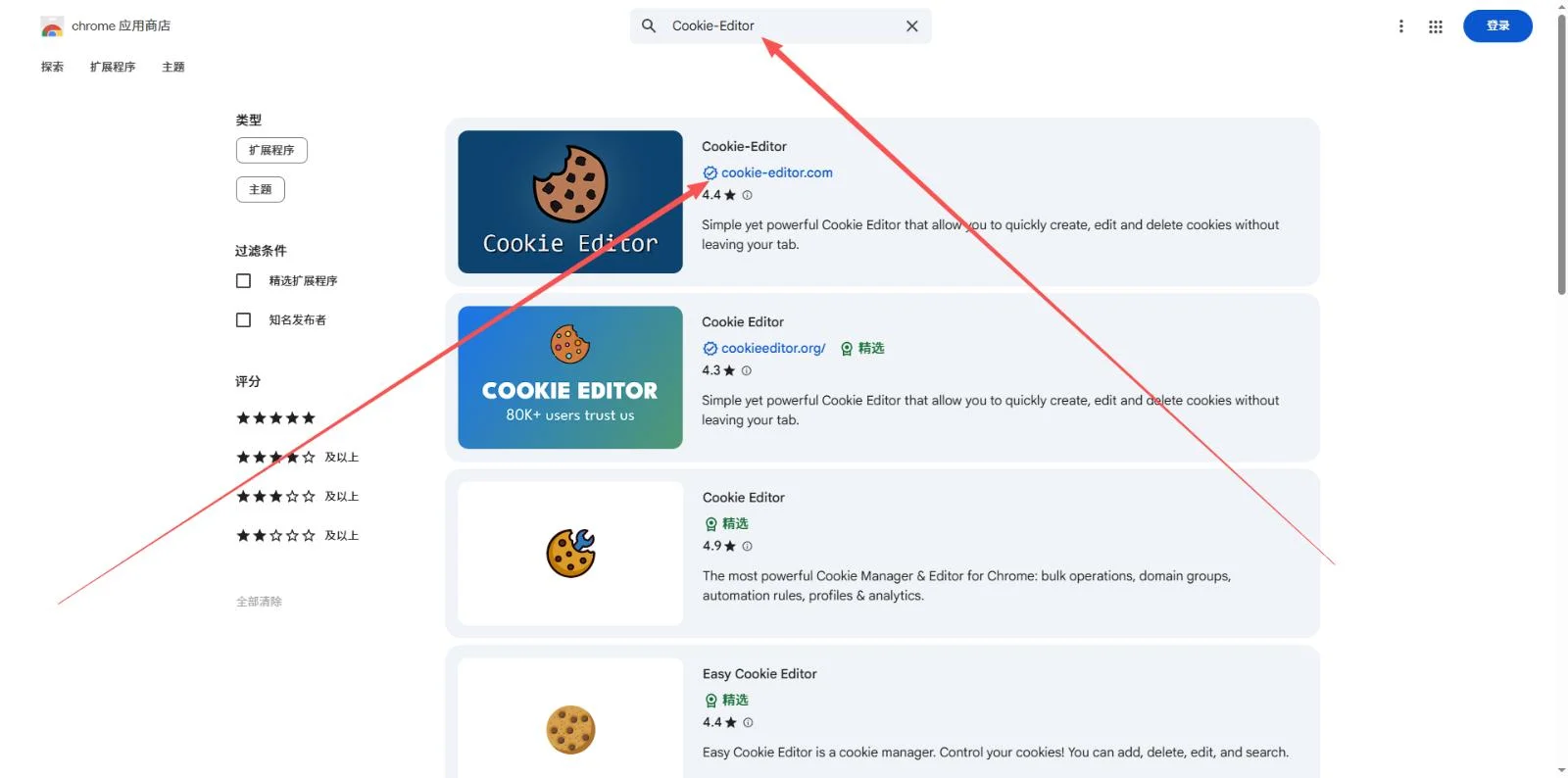
Install Cookie-Editor, the listing verified by cookie-editor.com. - Go to facebook.com (stay on the login page) and click the extensions icon next to the address bar, then Cookie-Editor.
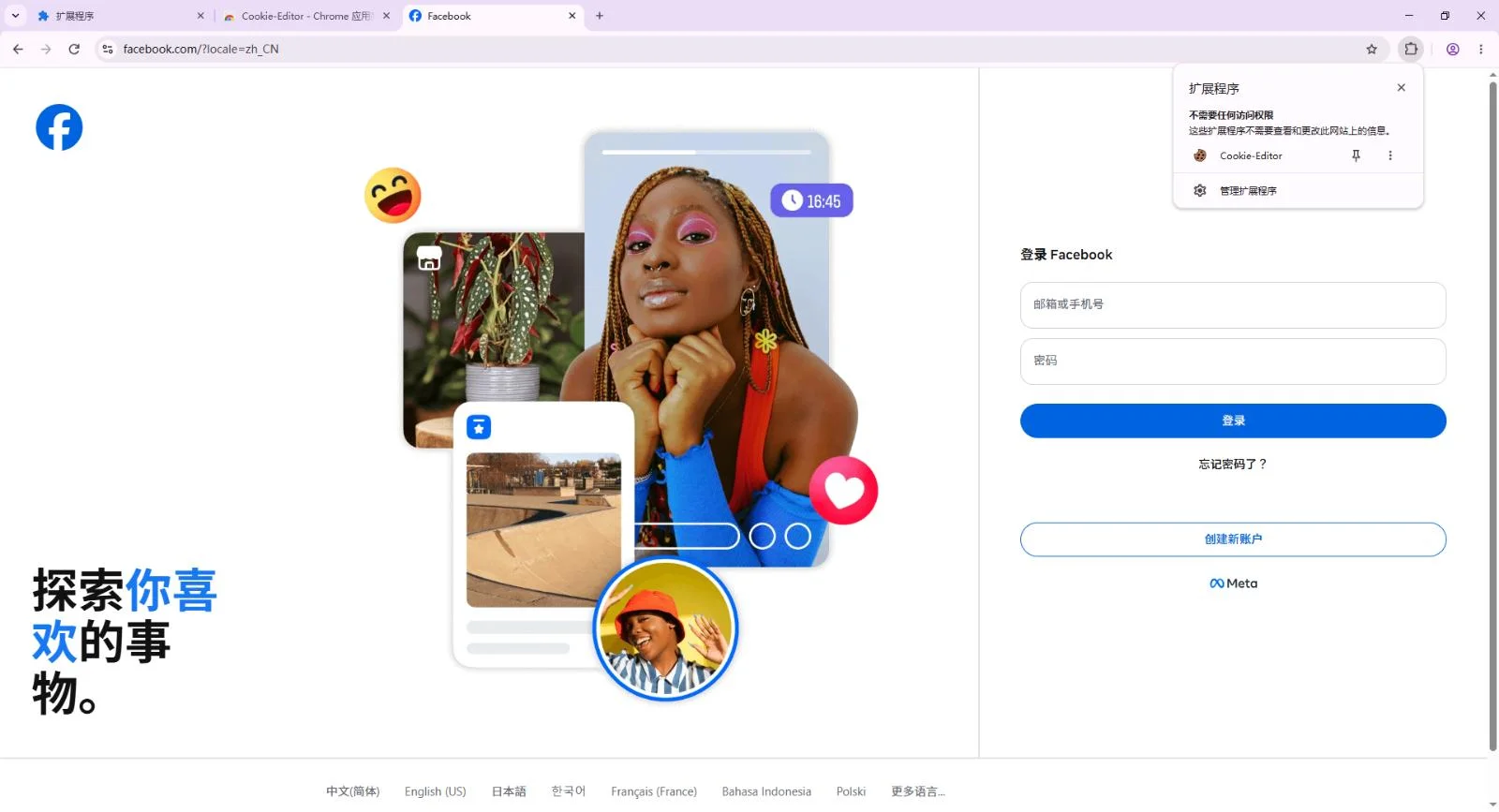
Open the extension while facebook.com is the active tab. - The first time, it asks for permission. Click This site.
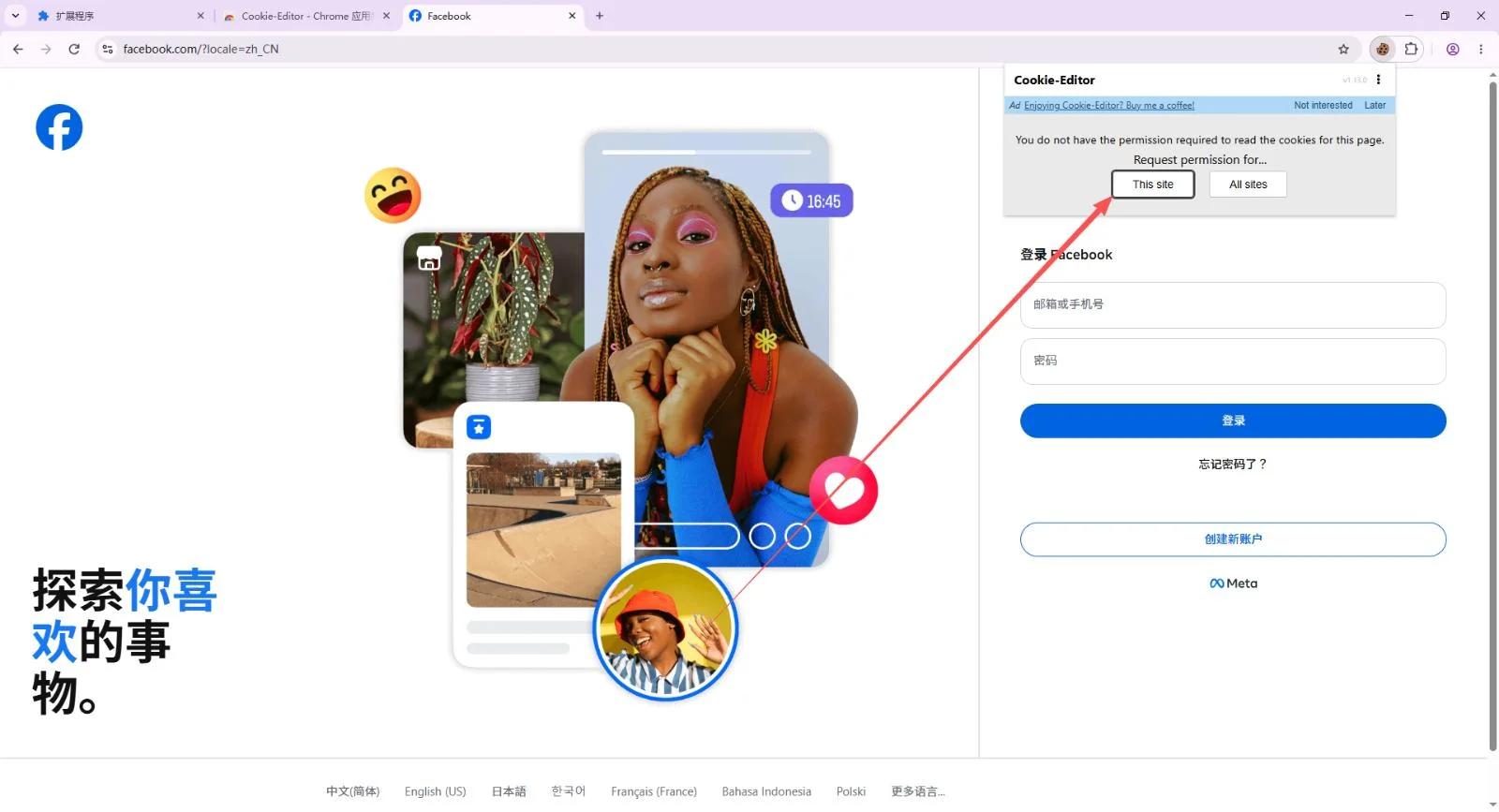
Allow it on this site only. - Click the Import button, the third icon at the bottom of the panel.
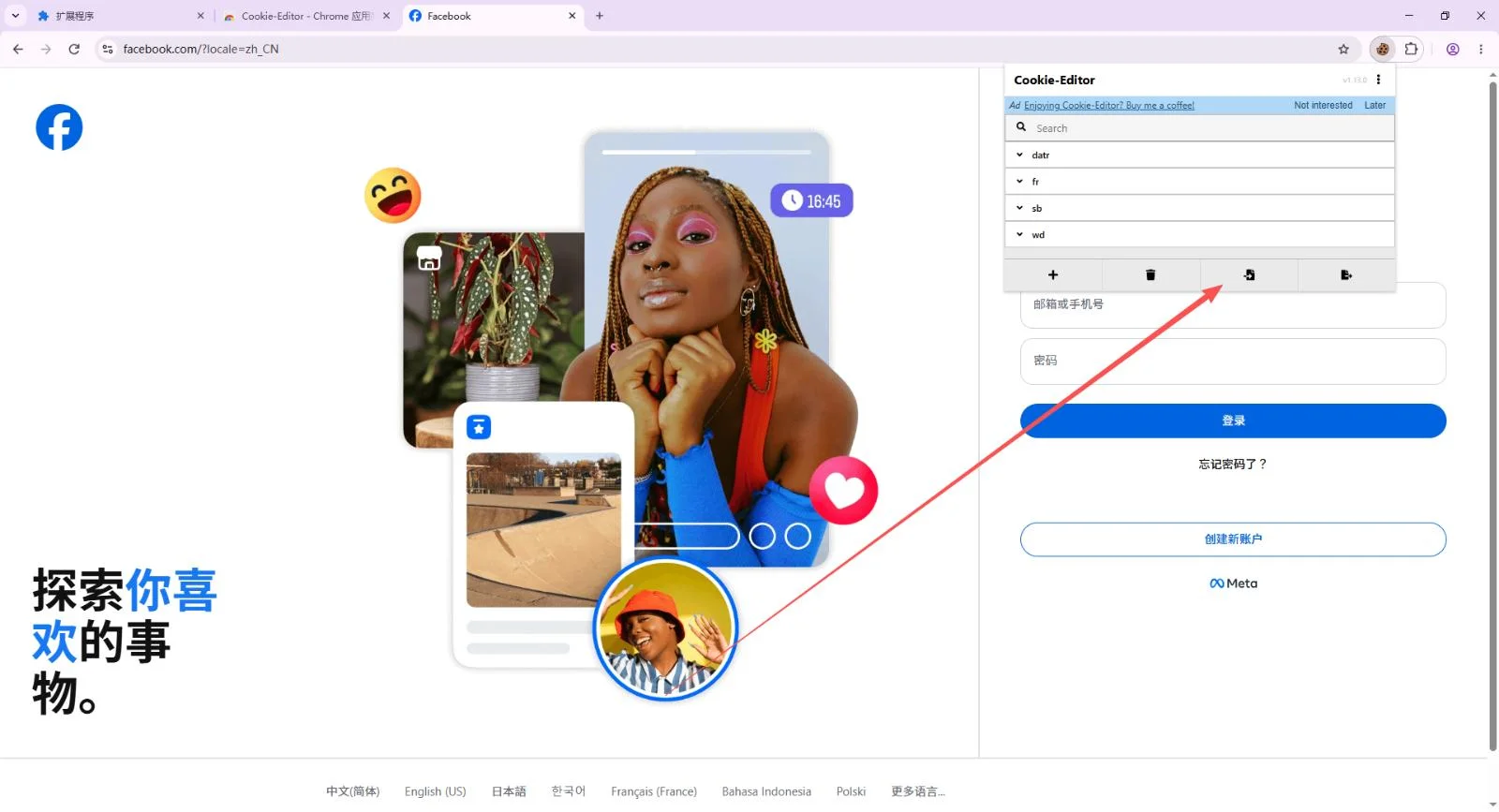
Import is the arrow-into-box icon. - Copy the cookie part of your line, from
[{to the closing}], and paste it into the box.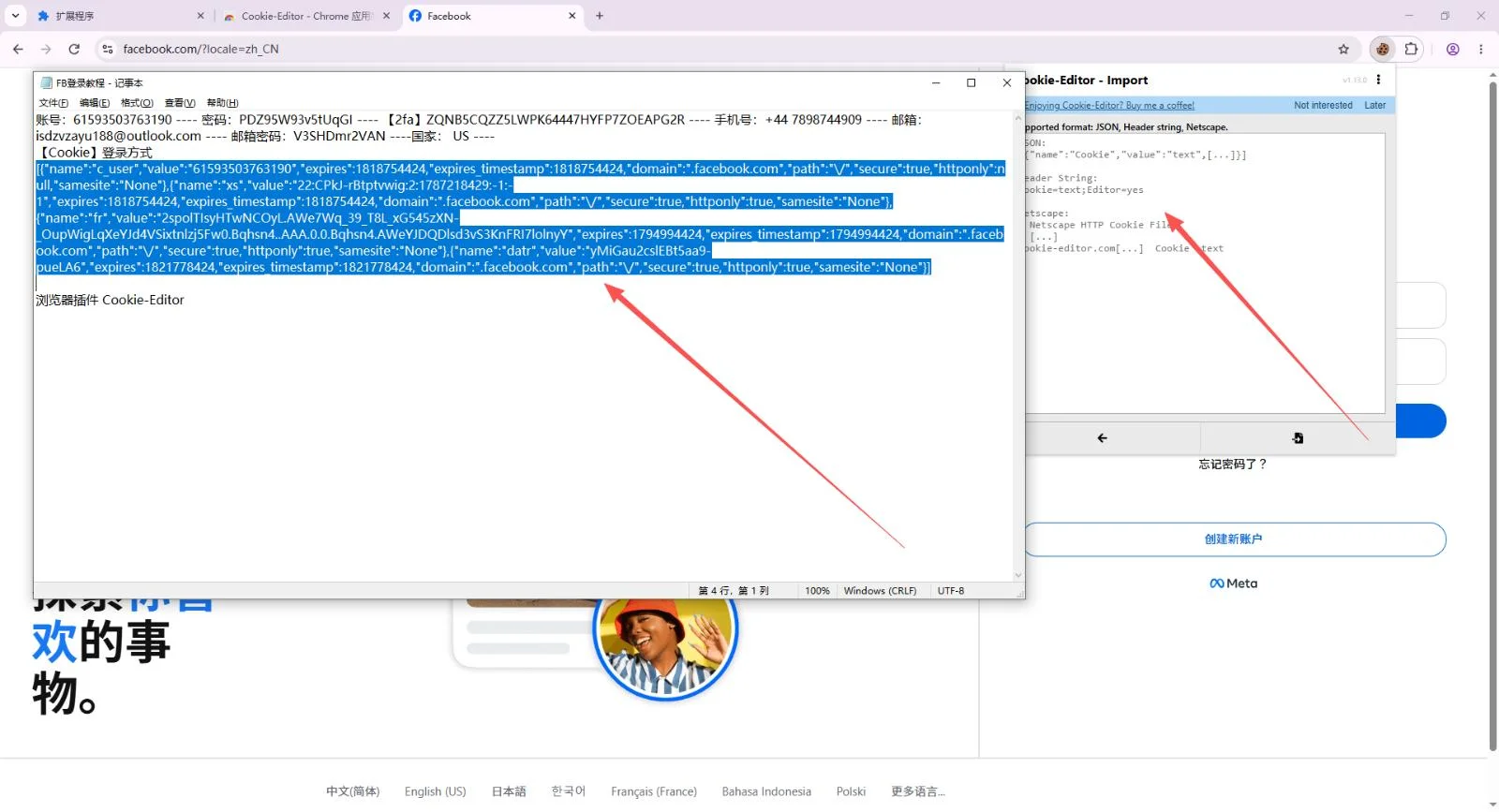
Copy only the cookie, not the whole line. - Click Import again, then refresh the page. You are signed in.
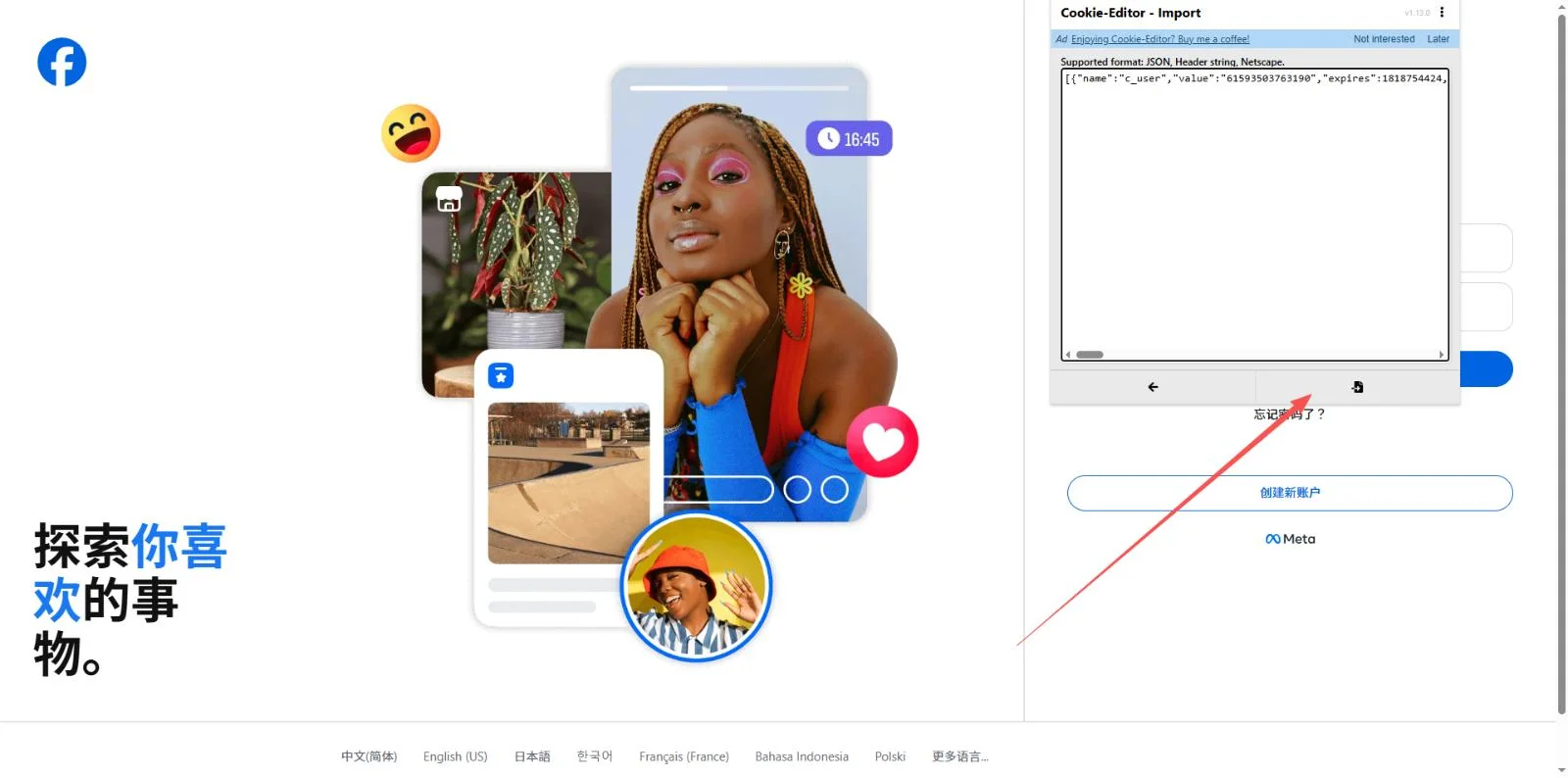
Confirm the import, then refresh facebook.com.
Cookie-Editor reads cookies that start with [{ and the c_user=...; xs=... style. The long eyJ blocks are a different packing it does not read. Every line we have delivered with one of those also carries a password and a 2FA key, so sign in with those instead.
Cookie accounts: what not to do in the first days
Here's what most guides skip. A cookie account has no password you know. When you change the language, the password, the email or the phone number, Facebook asks to confirm it is you by sending a code to the account's email, which you do not have. You fail the check and Facebook signs you out, and the cookie no longer works.
- Do not change the language, password, email or phone right after signing in.
- Keep using the same browser and the same internet connection.
- Use the account normally for a while before you touch any setting.
If you know you will need to change the password or add your own email, buy a listing that delivers a password and a 2FA key, such as our USA Facebook accounts, which come with a 2FA key on every account.
When something goes wrong
"The password is wrong" or "the code is wrong"
Check that you copied the field that follows the login, not the email password. For the code, make sure your computer's clock is set automatically; a clock a minute off produces codes Facebook rejects.
I signed in once and now it asks for a code by email
That is the check described above. Open a ticket from the order with a screenshot of the screen you see.
Can I use it to sign in to Instagram?
We guarantee that the Facebook account signs in. Signing in to Instagram through Facebook is up to Instagram and is not covered.
The account does not work at all
Open a ticket from the order page within the guarantee period shown on the product, say which line failed and attach a screenshot of the error. We reply faster when we can see the exact message.